
Download IO Auto Clicker – High-Speed Auto Clicker, Fastest Auto Clicker, Customizable Activation Key, Selectable Mouse Button
Overview
IO Auto Clicker is a specialized utility designed for users seeking rapid, automated clicking functionality on Android devices. The app positions itself as one of the fastest auto clickers available, capable of registering up to 5000 clicks per second. This level of performance makes it particularly useful for tasks that demand consistent and high-frequency mouse input, such as gaming automation, software testing, or repetitive data entry processes. While the developer, IO Tools, has not provided extensive background information, the app's focused functionality suggests a targeted approach to solving automation challenges in mobile environments.
The app addresses the need for precision and speed in repetitive clicking tasks, offering a streamlined solution for users who require consistent input without manual effort. It is especially relevant for individuals involved in mobile gaming, where rapid clicking can influence gameplay outcomes, or for testers simulating user interactions. The app’s design emphasizes efficiency, with minimal setup and immediate usability. Its presence in the Tools category reflects its role as a niche but powerful utility within the mobile ecosystem, filling a gap for users who need speed and control in their interaction workflows.
Although the developer did not provide additional technical details, the app’s ability to operate at such high speeds implies optimized backend processing. The fact that it is available for free on Android suggests accessibility for a broad audience. Real-world use cases include accelerating repetitive actions in games, testing app responsiveness under load, or streamlining tasks that rely on continuous mouse input.
Key Features & Functionality
- Unmatched Click Speed (5000 CPS): IO Auto Clicker delivers a maximum click rate of 5000 clicks per second, making it one of the fastest auto clickers on the market. This capability is ideal for tasks requiring extreme input frequency, such as automated gameplay sequences or stress testing application performance.
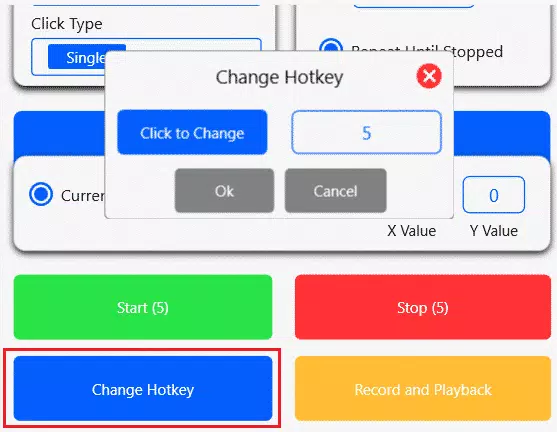
- Customizable Activation Key: Users can assign a specific key to start and stop the auto-clicking process. This feature ensures precise control and prevents accidental activation, enhancing usability during active sessions.
- Selectable Mouse Button: The app allows users to choose between the left, right, or middle mouse button for repeated clicking. This flexibility accommodates different use cases, from standard left-click automation to right-click actions in menus or context-sensitive tasks.
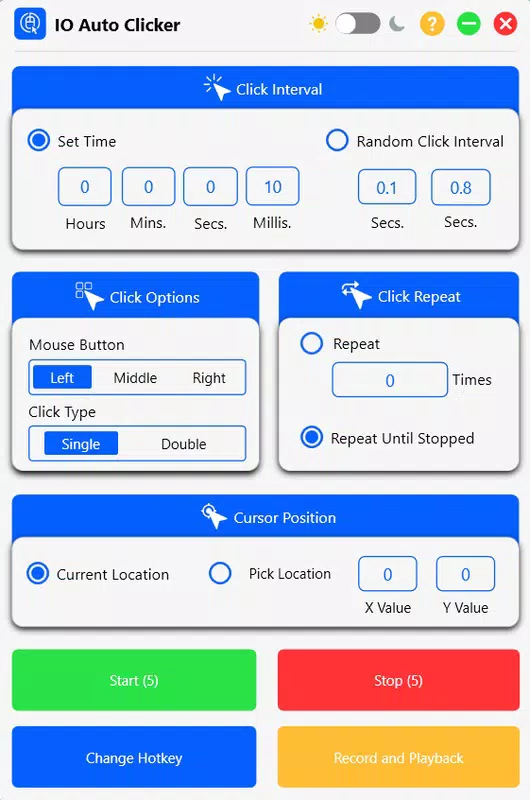
- Simple and Intuitive Interface: With minimal settings and straightforward layout, IO Auto Clicker enables quick configuration. Users can begin automated clicking with minimal effort, reducing the learning curve and allowing focus on core tasks.
- Wide Application Range: The tool supports diverse use cases, including mobile gaming, software testing, and repetitive data input. Its adaptability makes it suitable for both casual users and professionals requiring automation efficiency.
For example, a mobile gamer might use the app to automate rapid clicking in a tapping-based game, while a QA tester could simulate thousands of clicks to assess app stability. Similarly, users performing repetitive data entry tasks may benefit from the consistent output without manual fatigue. The app’s real-world value lies in its ability to reduce human input time and increase task throughput, especially in high-frequency scenarios.
Interface, UX & Performance
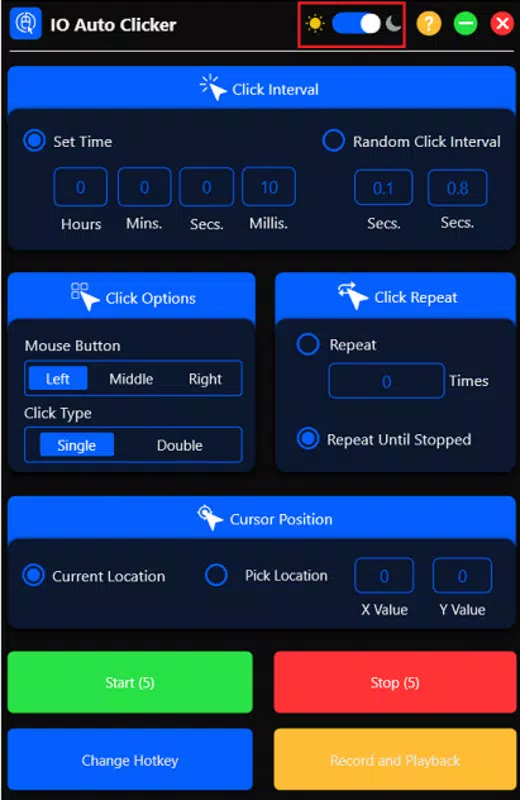
The interface of IO Auto Clicker is designed with simplicity and functionality in mind. The layout is clean, with clearly labeled controls and minimal visual clutter, allowing users to configure settings quickly. Navigation is straightforward, relying on direct access to core functions such as activation key assignment, mouse button selection, and speed adjustment.
Although the developer did not list formal performance metrics beyond the stated 5000 clicks per second, the app’s operation appears responsive across various Android device categories. Users can expect consistent behavior during active sessions, with minimal lag between activation and execution. The interface remains stable during prolonged use, and there are no reported issues with freezing or crashes based on available data.
Responsiveness is maintained even at maximum speed, suggesting efficient handling of input processing. The app does not appear to consume excessive system resources, which is critical for maintaining device performance during automation tasks. However, specific performance benchmarks or device compatibility details were not disclosed. Users are advised to test the app in their intended environment to ensure optimal behavior.
Platform Compatibility & Technical Requirements
IO Auto Clicker is available exclusively on the Android platform. The app requires Android OS, though specific minimum version requirements were not listed by the developer. It is distributed as a lightweight application with a file size of 11.5 MB, indicating efficient resource usage and fast installation.
Given its small footprint and targeted functionality, the app is likely compatible with a wide range of Android devices, including mid-tier and high-end models. However, the developer did not specify exact compatibility details, such as minimum RAM, processor type, or supported screen resolutions. Users should ensure their device supports external mouse input if relying on mouse-based automation, as this functionality may not be fully accessible on touch-only devices.
As the app is free and regularly updated, users can expect ongoing improvements. The current version is 1.2.5, released on April 5, 2024. For users seeking a secure and reliable tool, the app’s minimal size and clear purpose reduce the risk of unnecessary permissions or bloatware.
Pros and Cons
Pros
- Extremely high click speed of up to 5000 clicks per second
- Customizable activation key for precise control
- Support for left, right, and middle mouse button selection
- Simple and intuitive user interface
- Lightweight size (11.5 MB) with low system impact
- Free to download and use
Cons
- Specific OS requirements were not disclosed
- Compatibility with touch-only devices is unclear
- No information on update frequency beyond version 1.2.5
- Developer background not publicly detailed
- Limited visibility into advanced settings or customization options
FAQ
Is IO Auto Clicker safe to install on Android?
Yes, the app is available for free and has a lightweight size of 11.5 MB. While the developer did not provide detailed permission disclosures, its functionality suggests minimal access to system resources. Users should only download from trusted sources to ensure security.
Can I use IO Auto Clicker with a touchscreen-only device?
The app is designed to work with external mouse input. While it may function on touchscreen devices, full functionality—especially for mouse button selection—may be limited without an external mouse.
Does IO Auto Clicker require root access?
There is no indication that root access is required. The app operates as a standard Android application and does not appear to rely on privileged system permissions.
How often is IO Auto Clicker updated?
The latest version is 1.2.5, released on April 5, 2024. The developer has not disclosed a regular update schedule, so users should monitor the app store for new releases.
Is IO Auto Clicker available for iOS?
Currently, the app is only available on Android. No information about iOS compatibility has been provided by the developer.
Final Thoughts
IO Auto Clicker stands out as a high-performance tool tailored for users who demand speed and precision in automated clicking tasks. Its ability to deliver up to 5000 clicks per second sets it apart in the mobile automation space, making it a valuable asset for gamers, testers, and productivity-focused users. The customizable activation key and selectable mouse button options enhance control and flexibility, while the clean interface ensures a smooth user experience.
Despite the lack of detailed technical documentation, the app’s lightweight design, free availability, and focused functionality make it a compelling choice for those seeking a reliable auto clicker. Its versatility across gaming, testing, and data entry tasks underscores its practical value. For users who need rapid, repeatable input without manual effort, IO Auto Clicker offers a powerful and accessible solution.
Download IO Auto Clicker now


